Everything you need to run social media, in one place
Optimate creates the content, schedules it across every platform, tells you what worked, and gives you what to do next — for your business or every client you manage.
01 — Create
Make the content
Captions, images and video that already sound like you and already fit the platform they're going to.
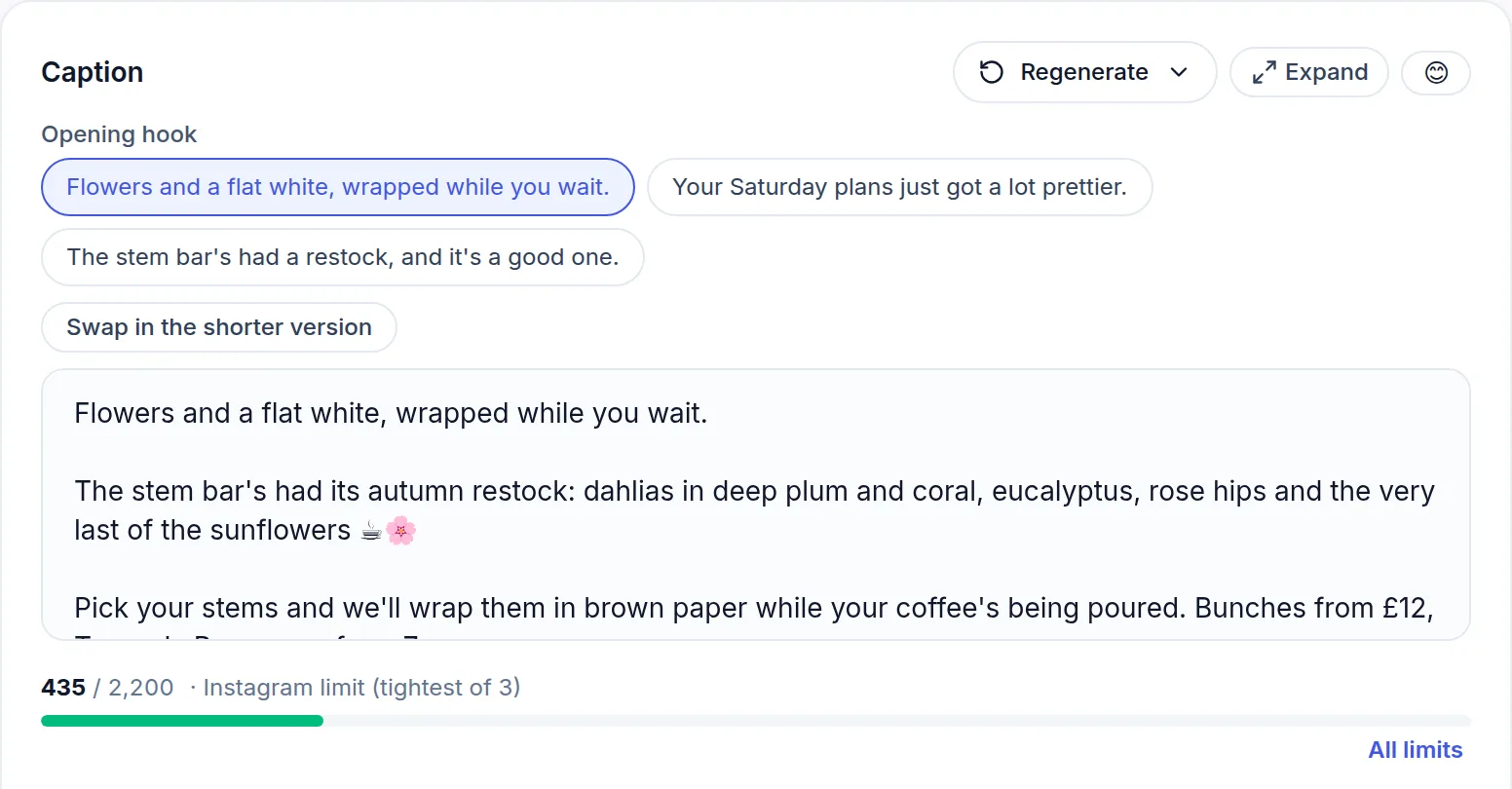
Captions in your voice
Hooks, captions and variations written from your brand kit — tone, audience, content pillars and the words you never want used. Each post can have its own goal, tone and call to action, so one aimed at an open day or an offer doesn't change every post after it. Optimate also strips the giveaway AI phrasing by default.
Your brand, learned once
Point Optimate at your website, upload your brand guidelines or pull from your existing posts, and it fills in your voice, audience, services and colours. Every draft after that starts on-brand.
Content pillars
Set the handful of themes you post about — education, proof, offers, behind the scenes — and every AI draft is written to fit one of them, so a month of posts has a shape rather than being a pile of one-offs.
Hashtags that fit the post
Hashtags suggested for the post in front of you rather than a generic list, plus saved hashtag groups you can drop into a caption in one click.
Images and branded designs
AI images: paid plansGenerate on-brand images that already match each platform's crop, so a Pinterest pin isn't an Instagram square with the edges cut off. For text-led posts, typeset designs — a statement, a quote, a stat, a tip — set in your colours with your real logo, rather than an AI guessing at your lettering. And if you've written a post but have no photo for it, Create Post offers to make one from your own words: a branded graphic in one tap, so Instagram, TikTok and Pinterest aren't a dead end.
Your own photos and video, finished
Not everything needs AI. Put a line of text over your own photo in your brand colours, with your logo if you want it. Trim a video to the part worth keeping, or join several clips into one. No photos at all? Search free stock photos and videos and add one to the post like an upload.
Write once, adapt per platform
One idea becomes a LinkedIn post, an Instagram caption and a TikTok hook — each with the right length, tone and format, not the same text pasted five times.
Remix a post that landed
Paid plansTake one of your posts that performed and rebuild its layout with fresh copy in your brand, with your headline set as real text rather than drawn by the image model.
Templates and saved posts
Save the posts that worked — caption, media and destinations — and start from them next time.
AI video that fits the platform
3 a month on paid plans · packs for moreDescribe the idea and pick the style — UGC clip, product advert, Instagram Reel, TikTok hook or promo. Optimate handles the look, the framing and the aspect ratio, and can add a voiceover. You get a video ready to schedule, not a prompt box and a shrug.
02 — Plan & publish
Get it out of the door
One calendar for every account, times chosen from your own results, and a straight answer about what actually went out.
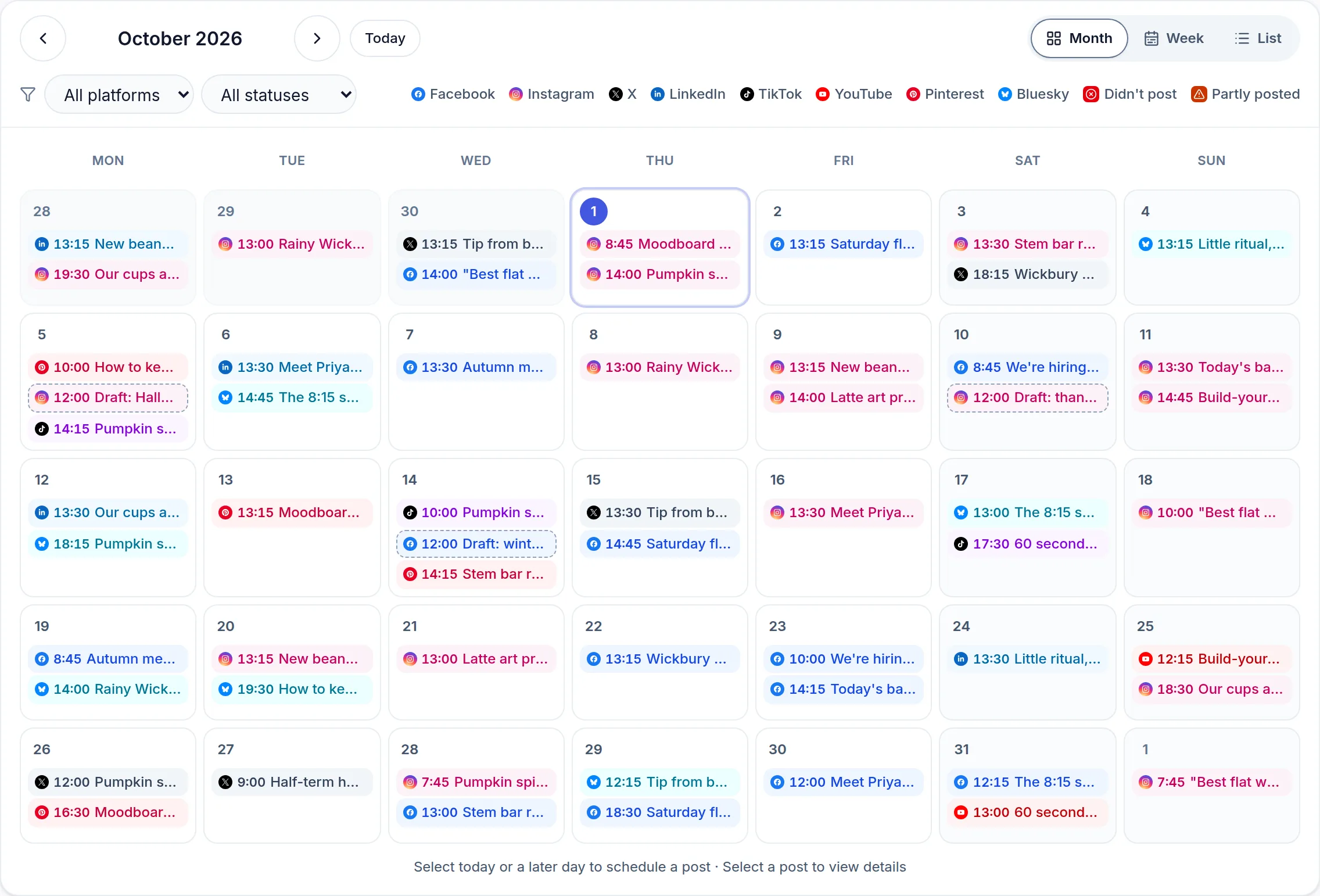
One calendar, every platform
X posting needs a paid planPlan and schedule across LinkedIn, Instagram, Facebook, X, YouTube, TikTok, Pinterest, Threads, Google Business, Bluesky and Mastodon without switching apps. Drag a post to another day to reschedule it, or on a phone, hold it and pick the day.
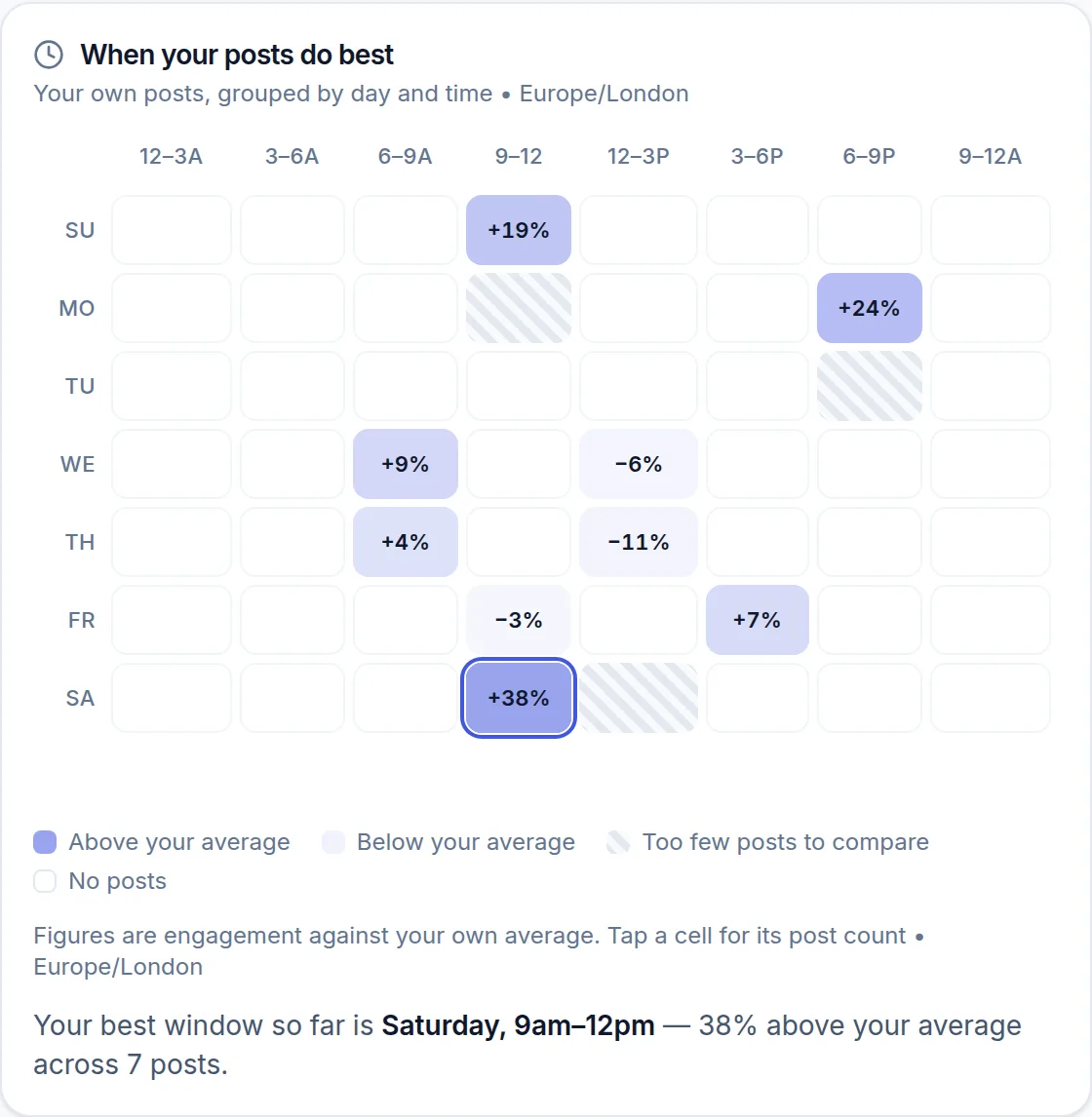
Posting times from your own data
Not a generic best-time-to-post chart. Optimate reads when your audience actually engaged with your posts, by day and by hour, and suggests your next free slot from that.
See it before it goes out
Preview the post the way each platform will show it before you schedule. For Instagram, switch to Grid and see it in your profile beside your recent and planned posts, so you can check how the feed will look.
Know it published, or why it didn't
A delivery log of everything Optimate sent, what each platform said back, and what failed — with a way to fix and retry. Scheduling tools usually go quiet at exactly this point.
A month of posts from a spreadsheet
Paid plansStart from the template, upload the CSV, and Optimate shows you every problem before it creates anything, so you fix it in the sheet instead of unpicking sixty posts afterwards.
Post again what worked
Optimate finds the older posts worth a second run — far enough back that no one's feed remembers them, ranked on how they actually performed rather than raw likes.
A link-in-bio page
Free on every planA page at optimatesocial.com/l/your-name for your Instagram or TikTok bio, built from your brand: your logo, colour and name, a short bio, up to 12 links and, if you like, the pictures from your latest posts. Edit it under More → Link in bio. Each client brand gets its own. The page carries a small Made with Optimate badge.
Post from your phone
An Android app for creating posts and checking your calendar on the go, with a notification when a scheduled post goes out.
Optimate AI assistant
Ask about your content, your performance or your ideas and get an answer grounded in your own connected accounts and brand settings, rather than generic advice. Built in — no other app to open.
- “Suggest 10 post ideas for next week.”
- “Rewrite this caption for higher engagement.”
- “Why is my reach dropping on Instagram?”
Plan, generate and auto-post in one flow
Start from what your results say to post, generate it on-brand, then schedule it everywhere — one pass, not five apps.
- One calendar for every platform
- Recommendations from your own results
- Draft, review and approve before anything goes out
03 — Measure
Find out what worked
Performance from your platforms in one place, and a recommendation you can act on rather than a chart to interpret.
Every account on one dashboard
Paid plansFollowers, reach, engagement and top posts from your connected accounts, in one view instead of six apps, and a Download button for an Excel workbook or CSV of the numbers. Connect a YouTube channel and you also get its watch time, subscribers gained and lost, where the views came from and which videos held attention. (LinkedIn does not report analytics for personal profiles.)
Told what to post next
Paid plansOptimate reads your own results — plus your goal, your industry and your audience — and says what to post next, not just what happened. One click opens it in the composer, ready for you to review and schedule.
Hear when you're mentioned
Pro and upAdd up to five names or words per brand — your business name, a product, a hashtag — and Optimate checks Bluesky every hour for new posts that mention them, in Inbox → Mentions.
Profile health check
Free on every planScores each connected account's profile against your brand and against your other accounts, then says exactly what to change — the bio, the link, the picture.
Keep an eye on competitors
Pro and upTrack the accounts you measure yourself against, and let their activity inform what Optimate recommends you post.
From messy posting to a predictable content engine
Connect your social accounts, generate a plan and schedule your first week of posts in one sitting.
04 — Run it with other people
Clients, teams and approvals
Everything an agency needs to run several clients from one account — and everything a team needs to stop sharing a password.

Client approvals without a login
Studio and upSend a link. Your client sees what's queued and approves or requests changes — no account, no seat, no chasing. Every decision is logged, and editing an approved post asks again rather than slipping through.
Reports in your client's name
Paid plans · client-branded on Studio and up, white-label on AgencyA performance report carrying the client's brand — their name, logo and colours, not yours. Download it as a PDF, Excel or CSV, or share a link. A shared link ends with a small Optimate footer, which Agency can swap for your own logo. On Agency it can also be emailed to the client every week or month.
A separate brand per client
Studio and upEach client gets its own voice, calendar, accounts and reporting. Switch between them without logging out, and content stays where it belongs.
Bring your team
Invite the people who do the work, give them the clients they're on, and keep everything in one account rather than shared passwords. No charge per seat.
Comments in one queue
Pro and upOne queue for comments and mentions from YouTube, X, Bluesky and Google Business that opens on what's unanswered — a queue you empty, not another feed to scroll. Each one is labelled positive, negative or a question, so complaints and questions get answered first, and a mood card shows how the last 30 days went.
Run it from Claude or ChatGPT
Paid plansConnect Optimate to Claude or ChatGPT and work by chatting — pull analytics and client reports, check your best days and hours, see what's waiting in your Inbox with a suggested reply, compare you with your competitors, make a branded design or use a photo you've uploaded, save a week of drafts or turn one post into a version per platform, and schedule or post to any of the 11 platforms, Google Business included. No tab switching.
Connect your own tools
Pro and upA public API with keys you make in Settings → Automations. Zapier, Make or your own software can list your accounts, schedule, publish or draft posts, and read your analytics, best times, Inbox, competitor comparison and client reports. The guide is at /developers.
Explore in depth
The actual product
From your business to a month of scheduled content
Real Optimate screens, not a mock-up, filled in with demo businesses. Add your website, review your brand profile and turn it into posts ready for your calendar.
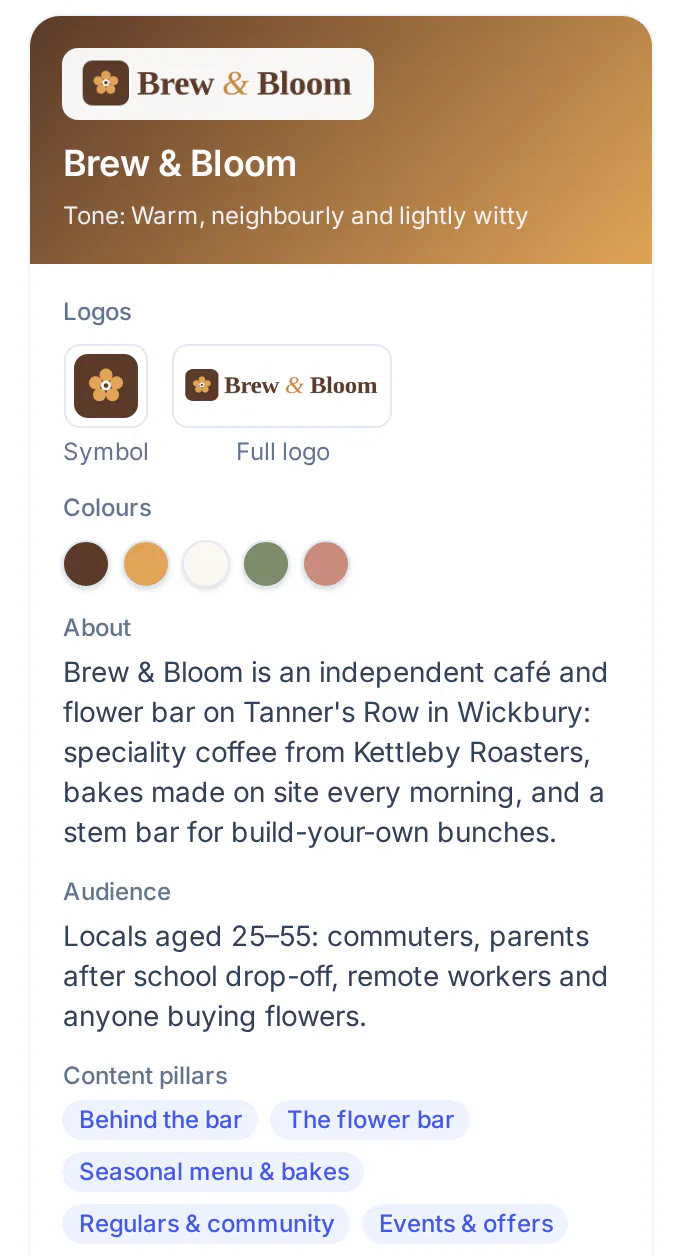
1. Your brand, read once
Add your website. Optimate builds the brand profile.
A website scan fills in your tone of voice, audience, services and content pillars, picks up your colours and offers your logo. Every post it writes uses them.
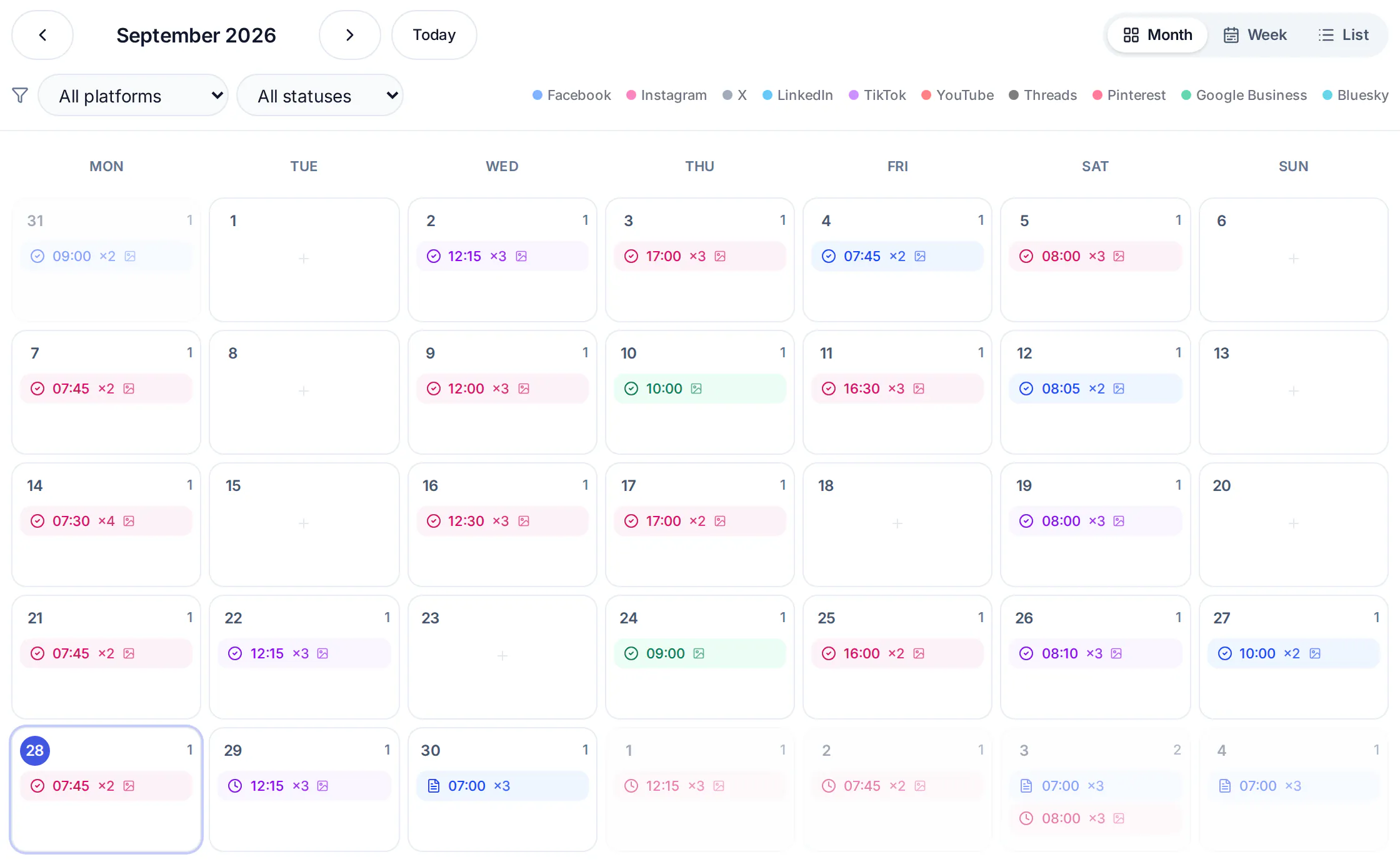
2. A month on the calendar
Generate posts, put them on the planner, done.
Every platform in one calendar. Colour-coded by network, filtered by status, with a week, month and list view.
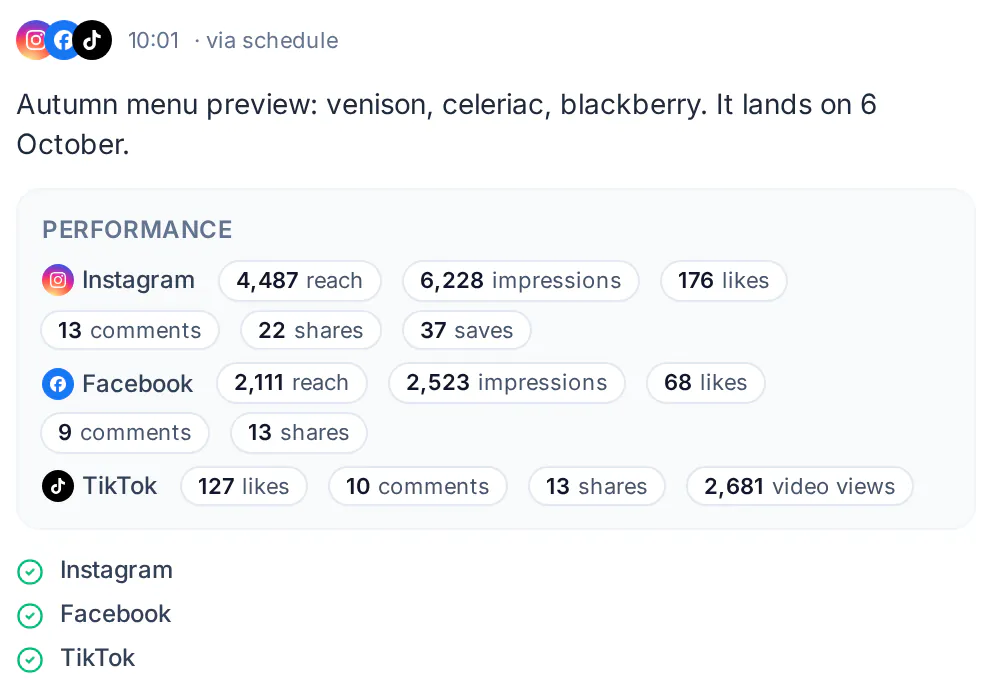
3. Proof it went out
A delivery log for every post, on every platform.
When it went out, on which networks and how it did on each — and if something fails, the platform's own reason and a retry.
Ready to see Optimate in action?
14 days of Pro, no card needed: connect your accounts and generate your first week of content in minutes. After that, Free includes 5 free AI generations to try, for captions, branded designs and carousels; AI pictures and video are on paid plans.
Start your 14-day Pro trial