How Optimate works
From first login to a fully scheduled content plan in minutes. Optimate brings connection, planning, creation and analytics into one simple flow.
Connect your social accounts
Securely connect the platforms you already use — LinkedIn, Instagram, Facebook, X, YouTube, TikTok, Pinterest, Threads, Google Business, Bluesky and Mastodon — so Optimate can plan, analyse and schedule across all of them from one place.
Tell Optimate about your brand
Set your goal, audience, brand voice and content pillars. Optimate uses this to tailor ideas, captions and recommendations to your brand, not just generic content.
Generate your content plan & captions
Plan my week drafts up to seven on-brand posts across the next seven days, with post ideas and AI captions. Edit, shuffle and fine-tune everything before you commit. No photo for a post? Optimate can turn its words into a branded graphic in your colours and logo.
Approve, schedule & automate
Preview each post the way the platform will show it, and for Instagram, see it in your grid beside your recent and planned posts. Then set dates and times, or take the best time from your own results, and let Optimate handle scheduling and auto-posting across all connected channels from a single calendar.
Review performance & refine with AI
Use Optimate's unified analytics to see what's working across platforms, then ask the AI assistant for recommendations on what to post next, when to post and which formats to lean into. Download the numbers as Excel or CSV whenever you need them elsewhere.
Go from idea to scheduled content in one flow
Connect your accounts, generate your first plan and schedule a full week of content in one sitting.
Prefer to just chat? Do it all inside Claude or ChatGPT
On Pro, Studio and Agency you can connect Optimate to Claude or ChatGPT and run this whole workflow by chatting — ask for a performance recap, get your best posting times, make a branded design, then draft and schedule or post. Nothing publishes without your confirmation.
Learn about the connector →The actual product
What those steps look like inside Optimate
Real Optimate screens, not a mock-up, filled in with a demo café: connecting a platform, generating a post, and seeing what to make next.
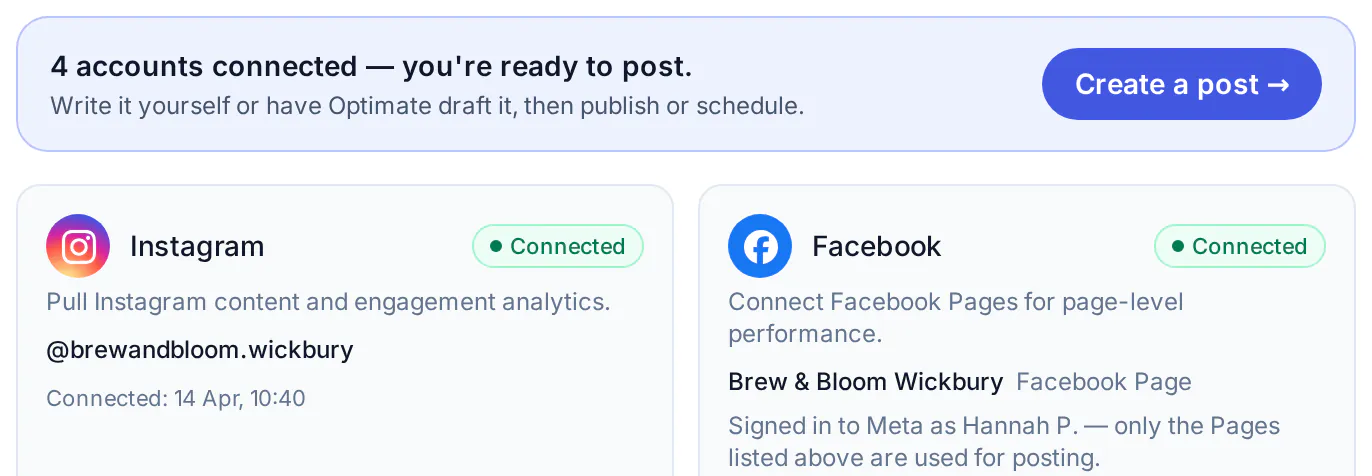
Step 1 · Connect
Connect each account once, from Settings.
Most platforms sign in through their own official login; Bluesky uses an app password. Settings shows what's linked and when, and flags any account that needs reconnecting.
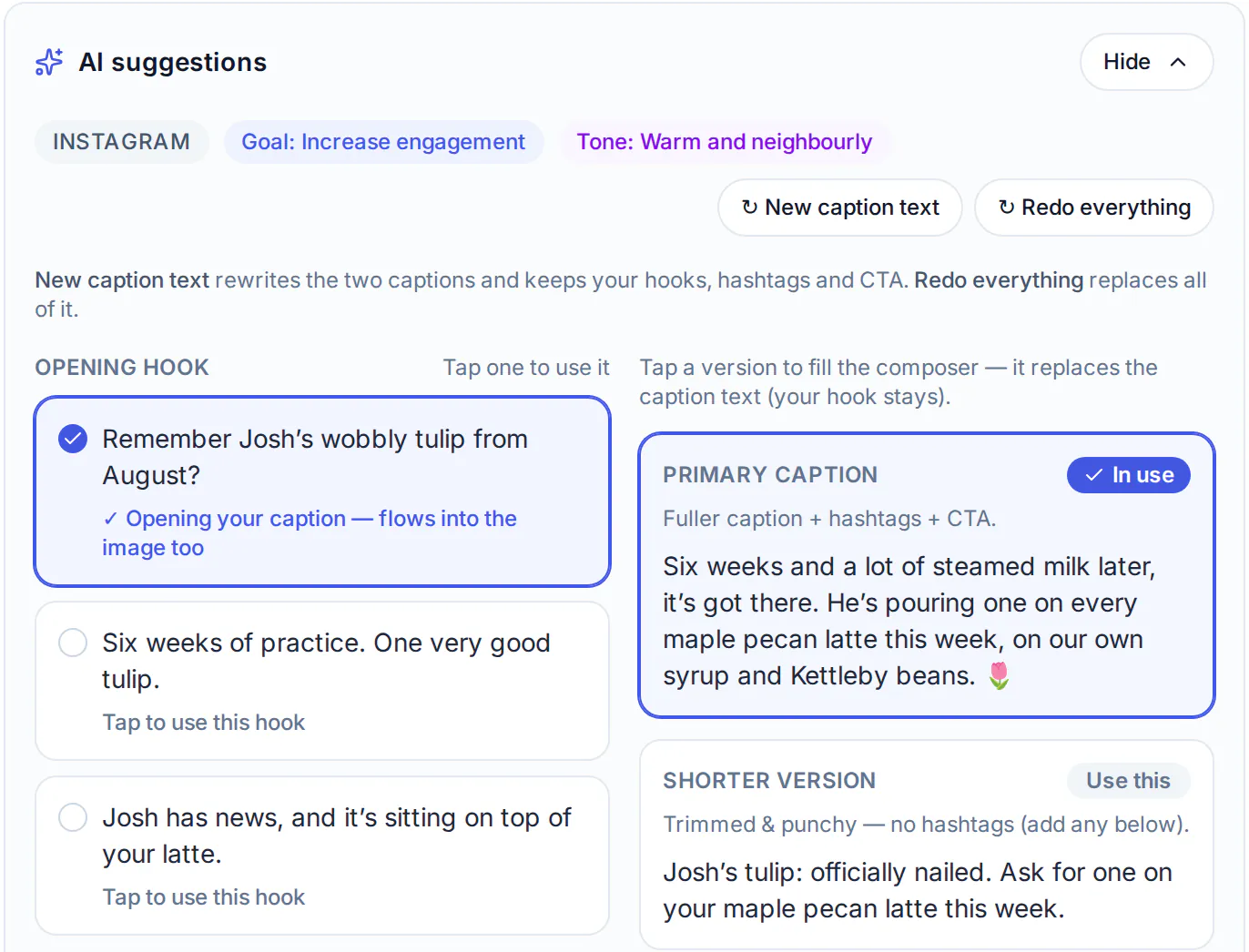
Step 3 · Generate
A caption in your voice, ready to edit before it goes anywhere.
Pick the platform, a goal and the topic. The draft uses your brand profile, and nothing is scheduled until you say so.
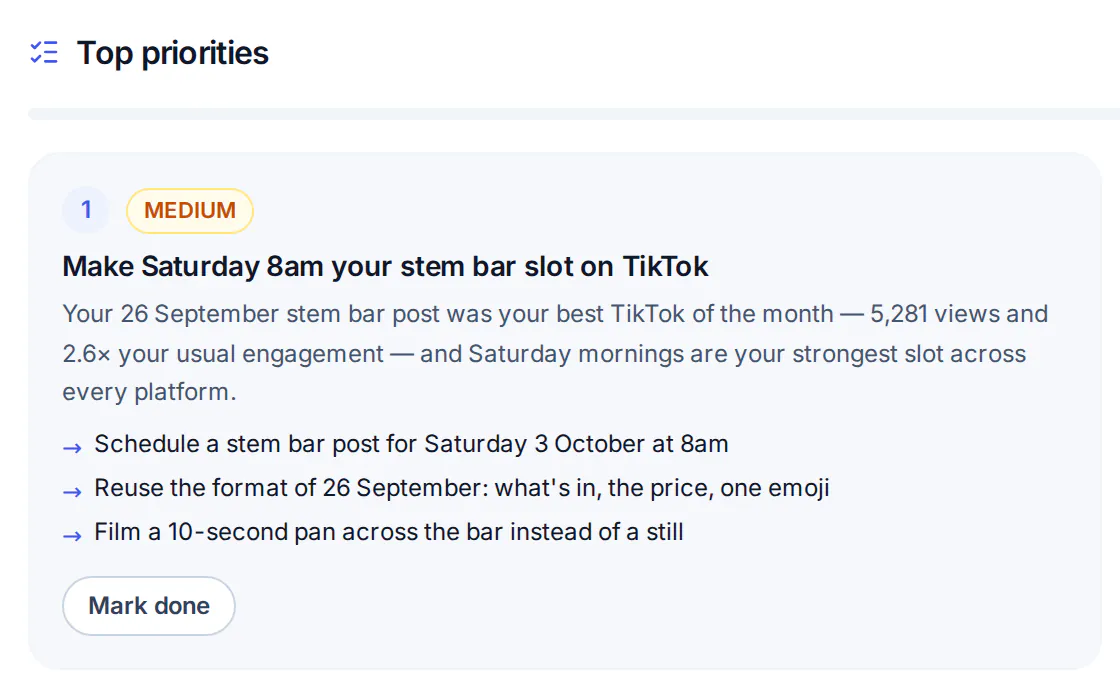
Step 5 · Learn
What to post next, worked out from what actually performed.
Recommendations read your own results across platforms and turn them into the next things to make, with a reason for each.
Ready to see this workflow in action?
14 days of Pro, no card needed — try the full Optimate flow with your own social accounts. After that, Free includes 5 free AI generations to try, for captions, branded designs and carousels; AI pictures and video are on paid plans.
Start your 14-day Pro trial