Grow your social media with AI — from strategy to posting in one platform
Optimise all your platforms from one place: insights → recommendations → create content → schedule → post to all 10 major platforms. Built for SMEs, creators and agencies who want results without living inside several platforms.
No card needed – Optimised for: LinkedIn, Instagram, Facebook, X, YouTube, TikTok, Pinterest, Threads, Google Business and Bluesky.
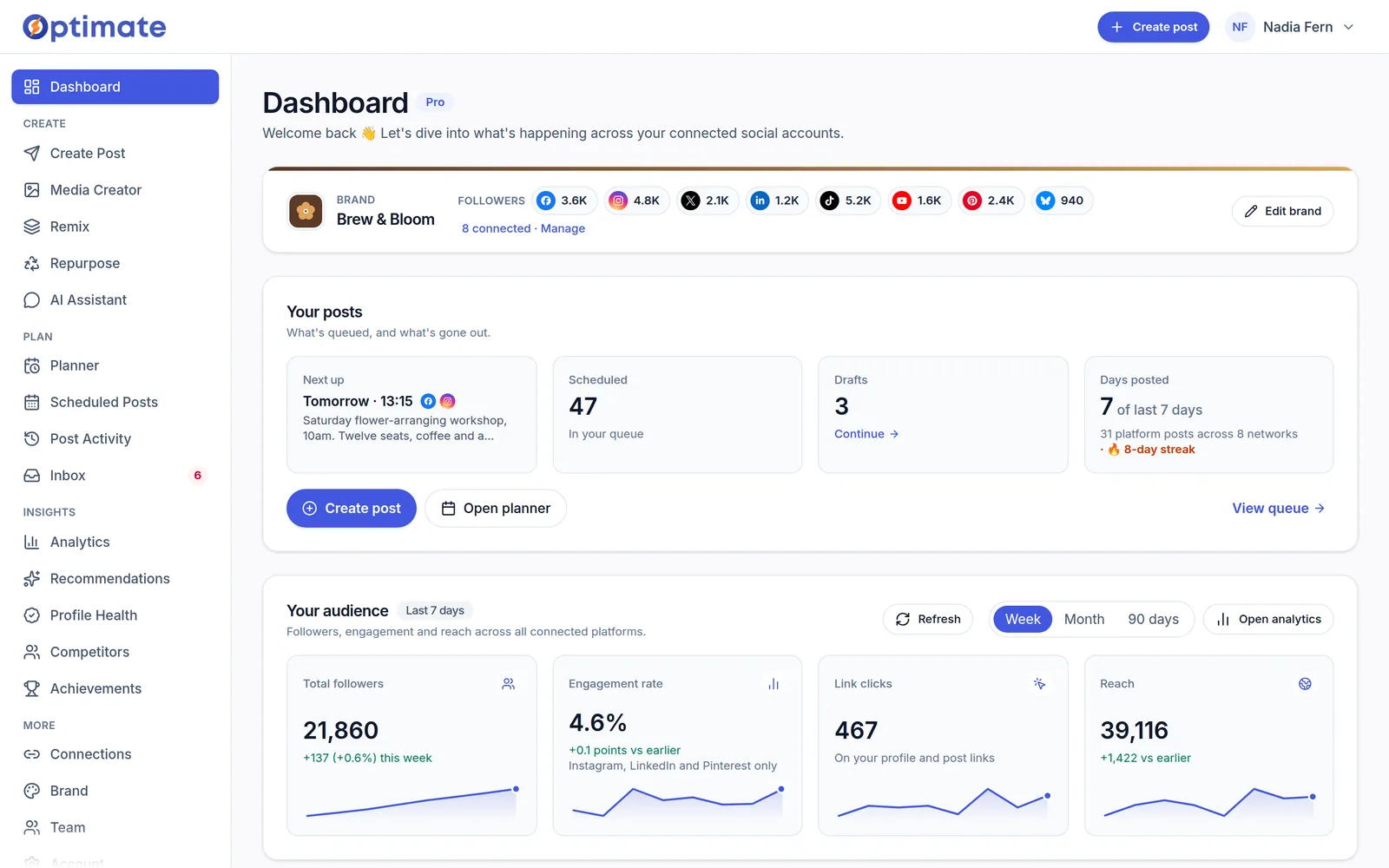
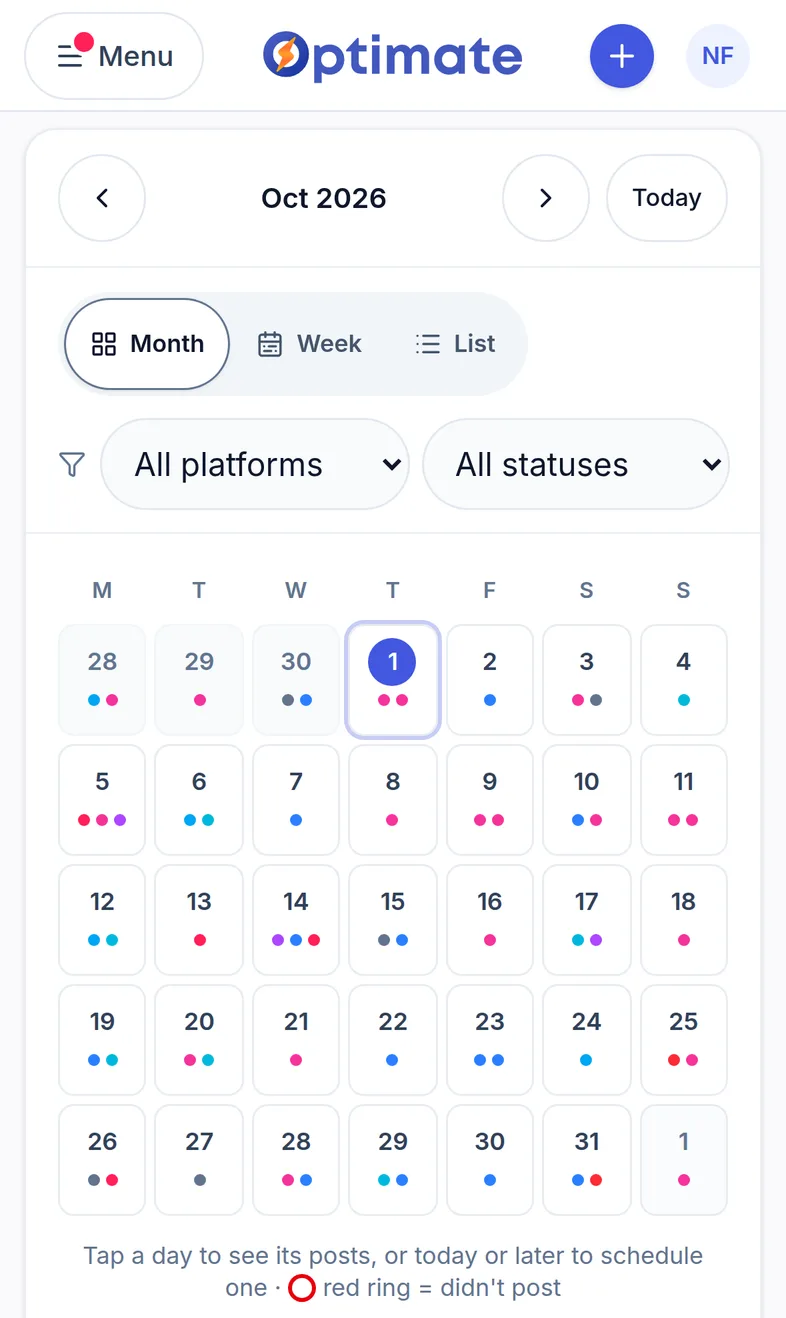
Built for teams and creators who care about performance
Whether you're solo or managing multiple brands, Optimate turns social into a repeatable system.
Small businesses & in-house teams
Stay visible on every platform your customers use, without hiring an agency or a social media manager.
For small businessesCreators & personal brands
Batch create posts with AI, keep your accounts active, and build momentum even on busy weeks.
For creatorsAgencies & consultants
Give every client their own brand kit and AI-assisted content, planned and scheduled from one login without losing quality.
For agenciesThe Social Media Growth Engine
Every step connected — from blank page to scheduled posts in minutes. No more switching tabs, losing context, or starting from scratch each week.
- 1
Connect and analyse
Link your LinkedIn, Instagram, Facebook, X, YouTube, TikTok, Pinterest, Threads, Google Business and Bluesky accounts in minutes, then see what's working across every platform in one clean dashboard.
- 2
Get recommendations, generate content
Specific, data-backed suggestions on what to post, when and how — turned into on-brand drafts with AI. Hooks, captions, hashtags, done.
- 3
Schedule, then learn and improve
Queue posts on your best-performing days from one calendar. Post-level analytics close the loop: double down on what wins, drop what doesn't.
Then repeat — and watch compounding growth kick in.
Everything you need in one workspace
Strategy, creation, scheduling and analytics — designed to feel simple and fast.
Create
DetailsCaptions in your voice
Your brand, learned once
Content pillars
Hashtags that fit the post
Images and branded designsAI images: paid plans
Write once, adapt per platform
Remix a post that landed
Templates and saved posts
AI video that fits the platform3 a month on paid plans · packs for more
Publish
DetailsOne calendar, every platformX posting needs a paid plan
Posting times from your own data
Know it published, or why it didn't
A month of posts from a spreadsheetPaid plans
Post again what worked
Post from your phone
Improve
DetailsEvery account on one dashboardPaid plans
Told what to post next
Profile health checkFree on every plan
Keep an eye on competitorsPro and up
Work with clients and teammates
DetailsClient approvals without a login
Reports in your client's namePaid plans · client-branded on Studio and up, white-label on Agency
A separate brand per clientStudio and up
Bring your team
Comments in one queuePro and up
Run it from ClaudePaid plans
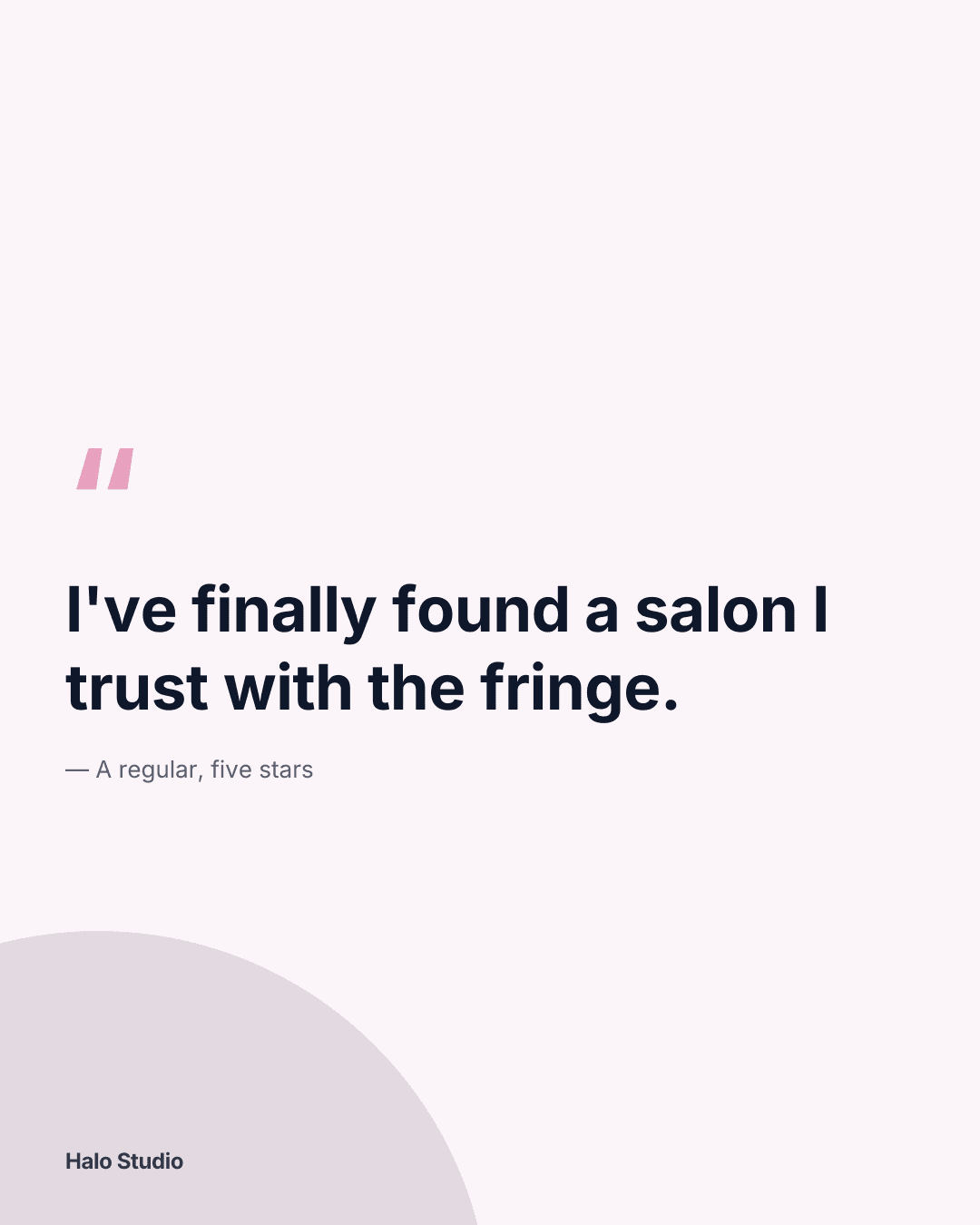
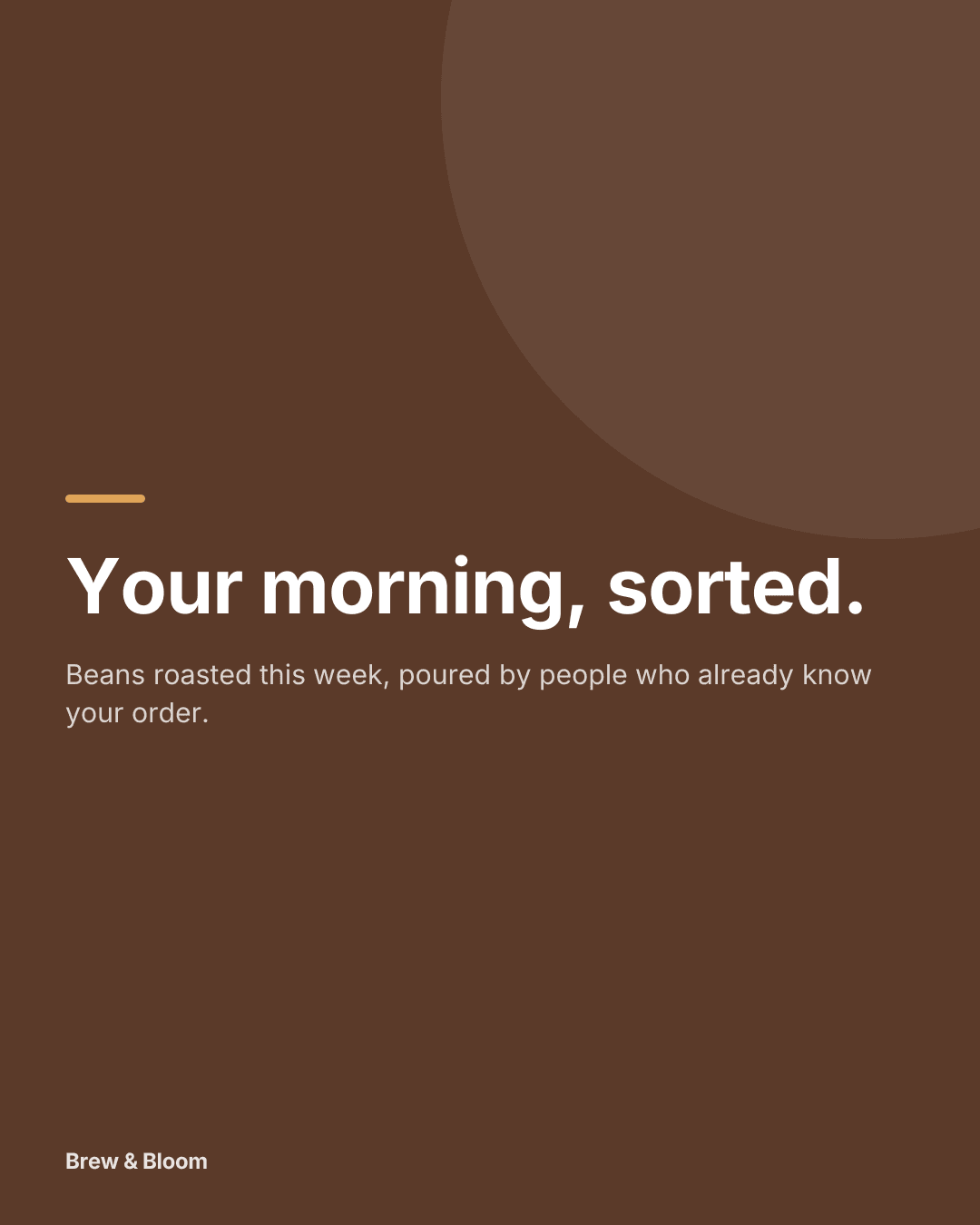
Example posts, made in Optimate
Photos and branded designs made for example businesses — no designer, no stock.



Manage your socials right inside Claude
Connect Optimate to Claude and just ask. Pull your analytics, review what's scheduled, and find your best days to post — in plain language, without switching tabs. Your Optimate account and connected platforms, available to your AI.
- “How did my posts do this month?” — instant analytics summaries
- “When should I post on Instagram?” — your best days, from your data
- “What's scheduled this week?” — your plan at a glance
- “Schedule this for Tuesday at 9am” — straight to your connected platforms
Optimate in Claude
Illustrative. Claude reads only what you've connected, and you can disconnect anytime.
Why we built this
We got tired of the tab chaos too.
Optimate was built by marketers who'd spent years managing multiple brands — juggling ChatGPT for copy, Canva for visuals, Meta Business Suite for ads, LinkedIn's native tools, platform analytics, and a scheduling tool on top. Every week, the same fragmented mess.
We built the platform we wished existed: one place where your data, your AI, and your publishing workflow all live together — so you can focus on strategy, not switching apps.
George, Founder
Optimate Technologies · 14+ years in digital growth
Before Optimate — the average social workflow
ChatGPT
Write captions
Canva
Design visuals
Meta Suite
Schedule & ads
Native posting
Analytics
Check numbers
Scheduler
Queue posts
With Optimate: all of this — in a single workspace, powered by AI.
Simple plans that grow with you
Every account starts with a 14-day free trial of Pro, Studio or Agency — no card. Then stay on Free, or pick the plan that fits how many brands you run.
Free
£0/month
Starts with a 14-day free trial of Pro, Studio or Agency — no card.
- Then up to 3 connected accounts
- Content planner
- Up to 5 posts scheduled at a time
- 5 AI text generations to try — images and video are on paid plans
Pro
Early adopter£29/month
or £290/year — two months free
Early adopter price, kept while you stay subscribed.
- Up to 10 connected accounts, one brand
- Scheduling, AI content and full analytics
- Inbox and Claude connector
Studio
£59/month
or £590/year — two months free
For freelancers running a handful of clients.
- Up to 3 clients
- Up to 15 connected accounts
- White-label client reports
- Client approvals with sign-off history
Agency
£135/month
or £1,350/year — two months free
For agencies managing many clients.
- Unlimited clients
- Up to 50 connected accounts
- Your branding on client pages · several reviewers per client
- Priority support
Trials include up to 5 clients, 15 connected accounts and 300 AI credits (about 150 captions or 30 images).
What you can do in your first hour
- Connect your social channels
- Generate on-brand posts with AI
- See your best days to post
- Schedule a full week of content
Save two months with annual billing. Need more than 50 connected accounts, a security review or custom terms? Talk to us about Enterprise.
Common questions
Every account starts with a 14-day free trial of Pro, Studio or Agency — no card.
Do I need to be a 'social media expert' to use Optimate?
No. Optimate gives you a clear process and helpful AI suggestions — without the complexity.
Which platforms does Optimate support?
LinkedIn, Instagram, Facebook, X, YouTube, TikTok, Pinterest, Threads, Google Business and Bluesky.
What happens when my 14-day trial ends?
Your account moves to Free. Nothing is charged and nothing is deleted. Free keeps publishing your next 5 scheduled posts; the rest wait, paused, and go out if you subscribe. Posts to X won't publish on Free, and posts for any extra clients pause. Your data is kept, but the analytics dashboard is a paid feature.
Can I use Optimate for multiple brands or clients?
Yes. Pro covers one brand across up to 10 connected accounts. Studio manages up to 3 clients, and Agency is unlimited.
Will my price increase later?
Early adopters keep their price while subscribed — no surprise jumps.
Ready when you are
Try Optimate with your next week of content
Connect an account, map out your content pillars and let the AI help you draft posts. If it doesn't save you time, stay on Free.
- 14 days of Pro — no credit card needed
- Moves to Free when the trial ends — nothing deleted
- All 10 platforms from one calendar
- Official platform APIs
Not ready yet? Try a free tool — a bio checker, an engagement-rate calculator and a caption character counter, no account needed.