Build trust, win the right clients
People hand their money to an adviser they trust, and social is where that trust begins. Optimate learns your firm's voice and turns guidance, updates and reassurance into clear, on-brand posts across LinkedIn and beyond — scheduled so you're advising, not writing captions.
No card needed · moves to Free after 14 days
Publishes to all 11 platforms: LinkedIn, Instagram, Facebook, X, YouTube, TikTok, Pinterest, Threads, Google Business, Bluesky and Mastodon.
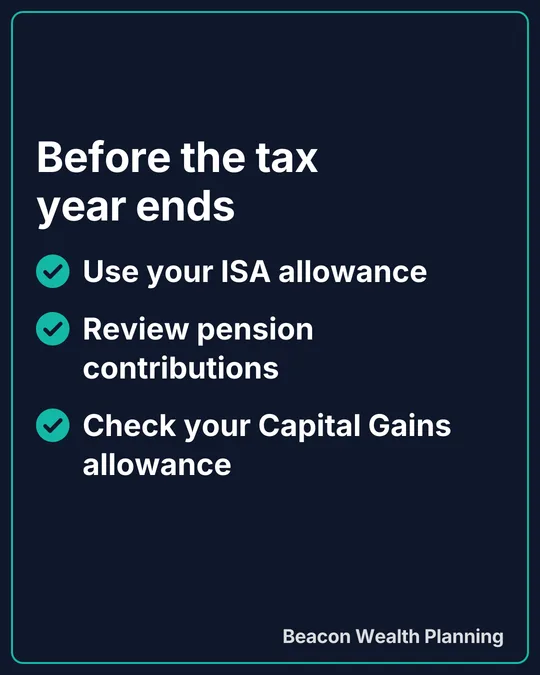
Posts like these, in your colours
Made by Optimate's design engine for Beacon Wealth Planning, an example business we made up. Yours come out with your own name, logo and colours.


Where financial advisers lose time on social
No spare time for marketing
Client work comes first, so your own presence stalls — right when trust needs building.
Clear, careful, on-brand
Financial content must reassure without overpromising; generic AI misses the line.
Staying visible and compliant
Consistency builds trust, but every post has to be right for the audience.
Social media, handled — for financial advisers
Optimate learns your brand once, then plans, writes and schedules on-brand posts across every platform from a single login — so staying visible stops being a daily scramble.
AI content in your voice
Set up your brand kit once — voice, audience, the words you'd never use — and Optimate writes captions that sound like you, not like a template.
On-brand images & designs
Generate images and typeset designs in your colours and logo — no designer, no stock-photo hunt.
Plan a full week in minutes
See everything on one calendar, schedule across all your platforms at once, and stop posting reactively.
Analytics & recommendations
One dashboard for your connected accounts on paid plans (LinkedIn doesn't share analytics for personal profiles), plus plain-English suggestions on what to post next and when.
Comments in one inbox
On paid plans, comments on your posts come into one inbox from the platforms that allow it, so you can reply without opening each app. Optimate can draft a reply in your voice for you to check.
Bring your team in
Invite staff or a freelancer with the right permissions — unlimited team members on every plan.
The actual product
From blank calendar to a week of posts
Real Optimate screens, not a mock-up, filled in with demo businesses.
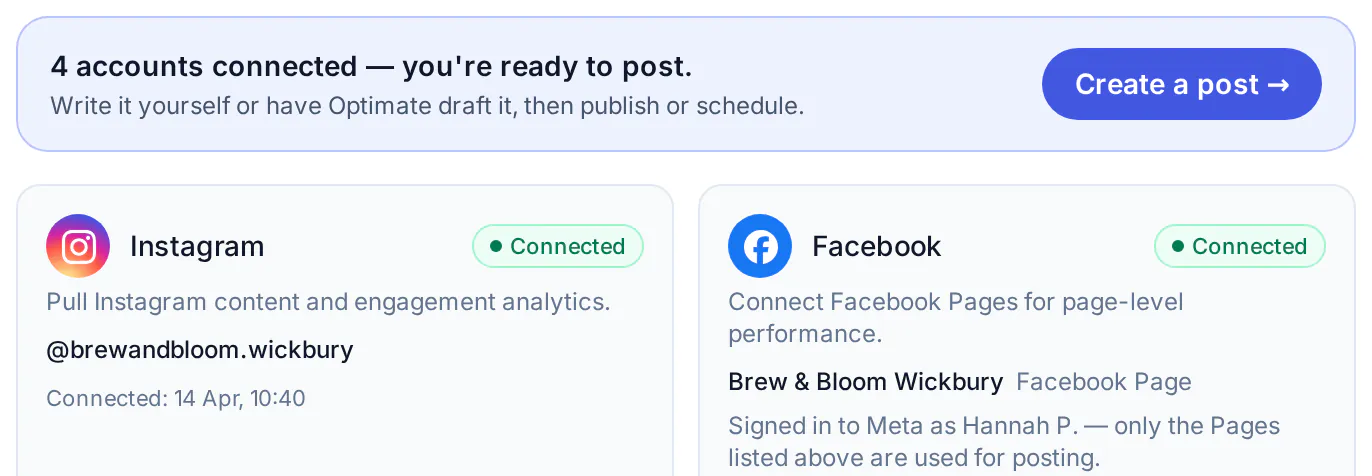
Step 1
Connect your channels
Facebook, Instagram, X, LinkedIn, TikTok, YouTube, Threads, Pinterest, Bluesky, Google Business and Mastodon.
- Your websiteFilled in for you
- Logo
- Colours
- Tone of voice
- Audience
- Content pillars
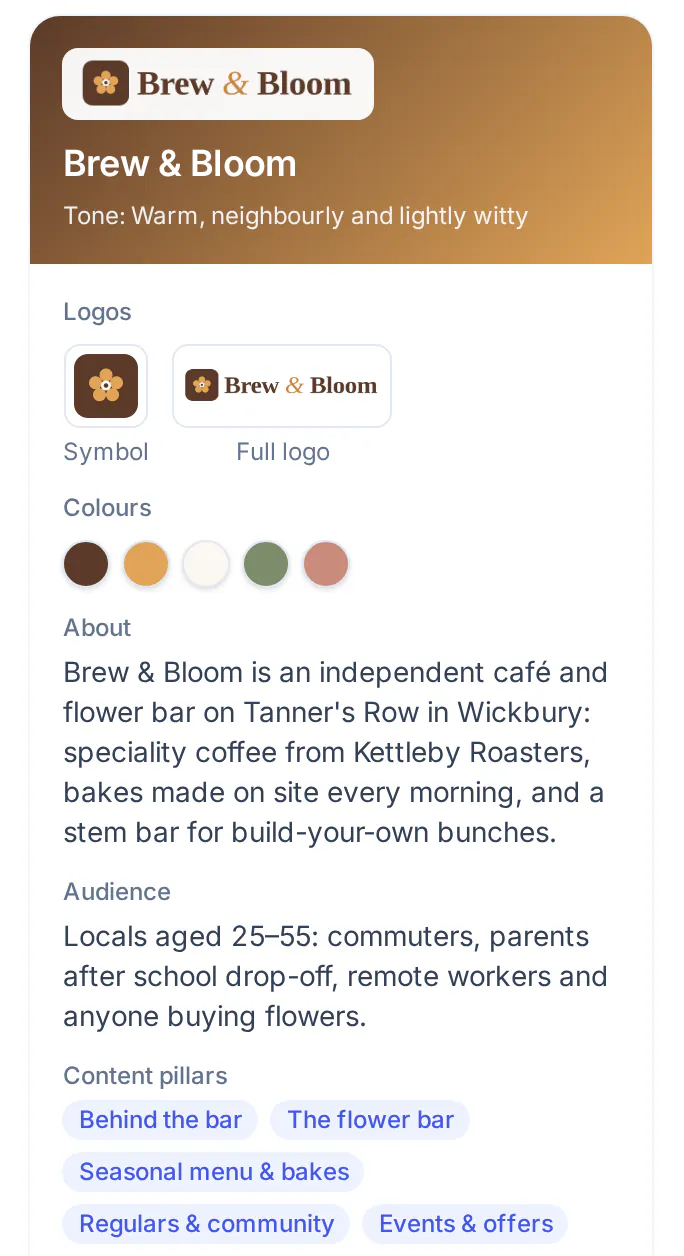
Step 2
Set up your brand kit
Tell Optimate your voice, audience and colours once. It uses them on everything it writes and designs.
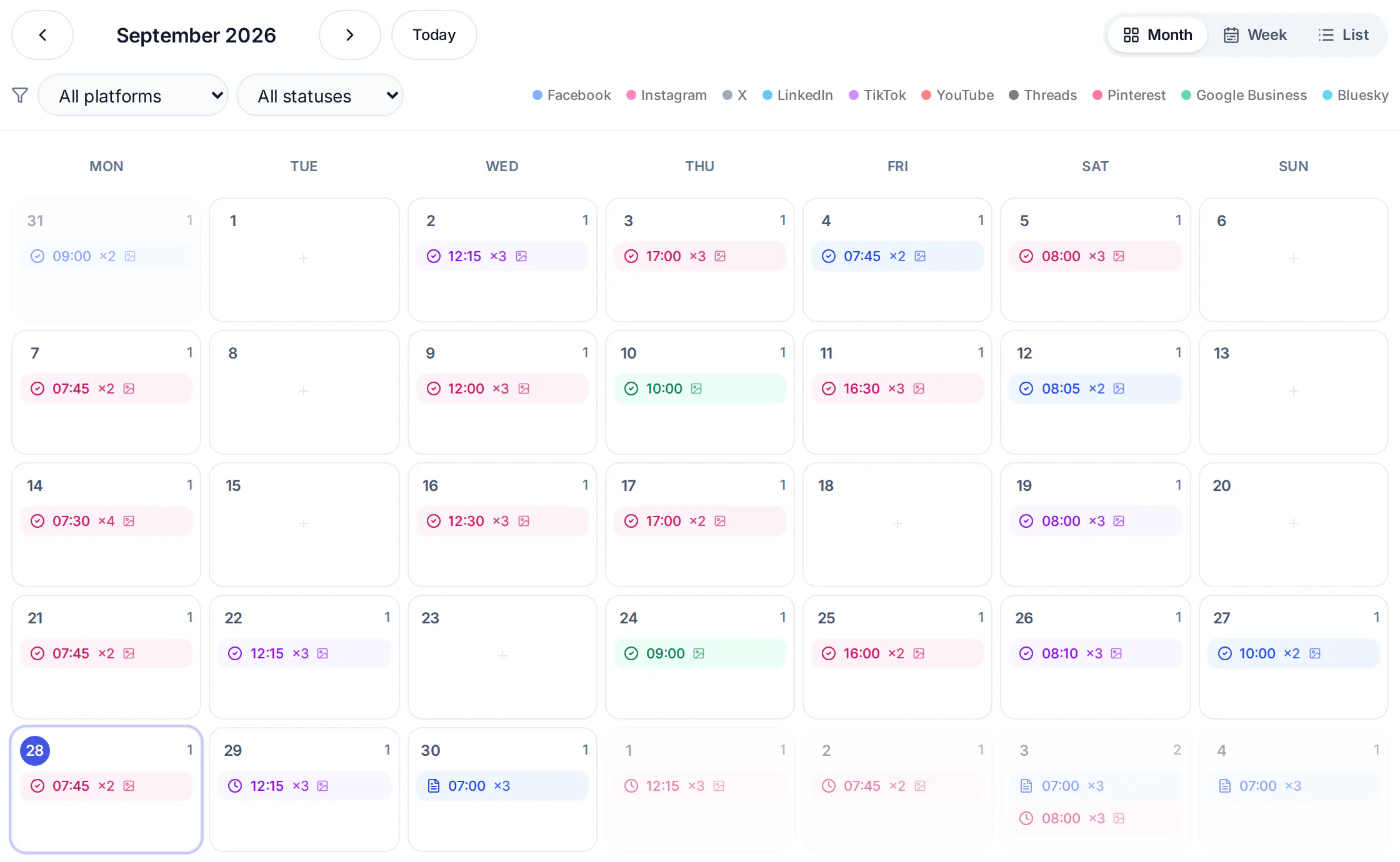
Step 3
Generate, schedule, done
Get on-brand posts in seconds, drop them on the calendar, and let Optimate publish them for you.
Plans from £29 a month
Every paid plan publishes to all the supported platforms. Start with 14 days free, no card. After that you choose a plan or move to Free, and nothing is charged unless you subscribe.
Pro
For one brand£29 / month
- Up to 10 connected accounts
- AI posts, designs and analytics
- Inbox and Claude & ChatGPT
Studio
For a handful of clients£59 / month
- Up to 3 clients, 15 connected accounts
- Client approval links
- Client-branded report links
Agency
For agencies£135 / month
- Unlimited clients, up to 50 connected accounts
- Your branding on reports and approvals
- Priority support
Common questions
Is Optimate a good fit for financial advisers?
Yes. Optimate is built for small teams that need to stay visible on social without a full-time marketer — it learns your brand and does the heavy lifting of writing, designing and scheduling.
Which platforms can I post to?
Facebook, Instagram, X, LinkedIn, TikTok, YouTube, Threads, Pinterest, Bluesky, Google Business and Mastodon. LinkedIn: personal profiles for now; Company Pages once LinkedIn approves Optimate.
Do I need any design or marketing skills?
No. You set up your brand once, and Optimate writes the captions, makes the images and schedules everything. You just review and approve.
Do I need a card to try it?
No. You can try Pro, Studio or Agency free for 14 days with no card — you only pay if you decide to stay.
Can I keep the tone careful and on-brand?
You set your voice and a list of words to avoid, and every post is written against them, then reviewed by you before it publishes. The exceptions are auto-sharing (photos and carousels, on paid plans; Reels not yet) and a blog feed set to post automatically, which you switch on yourself; leave those off, or set the feed to drafts, and nothing goes out unchecked.
Free tool: check your social bio
See how your profile bio and link read to a new visitor — a 30-second check, no signup.
Try the bio checkerStay visible — without the daily grind
Set up your brand once and let Optimate plan, write and schedule your social media. Start free — no card needed.