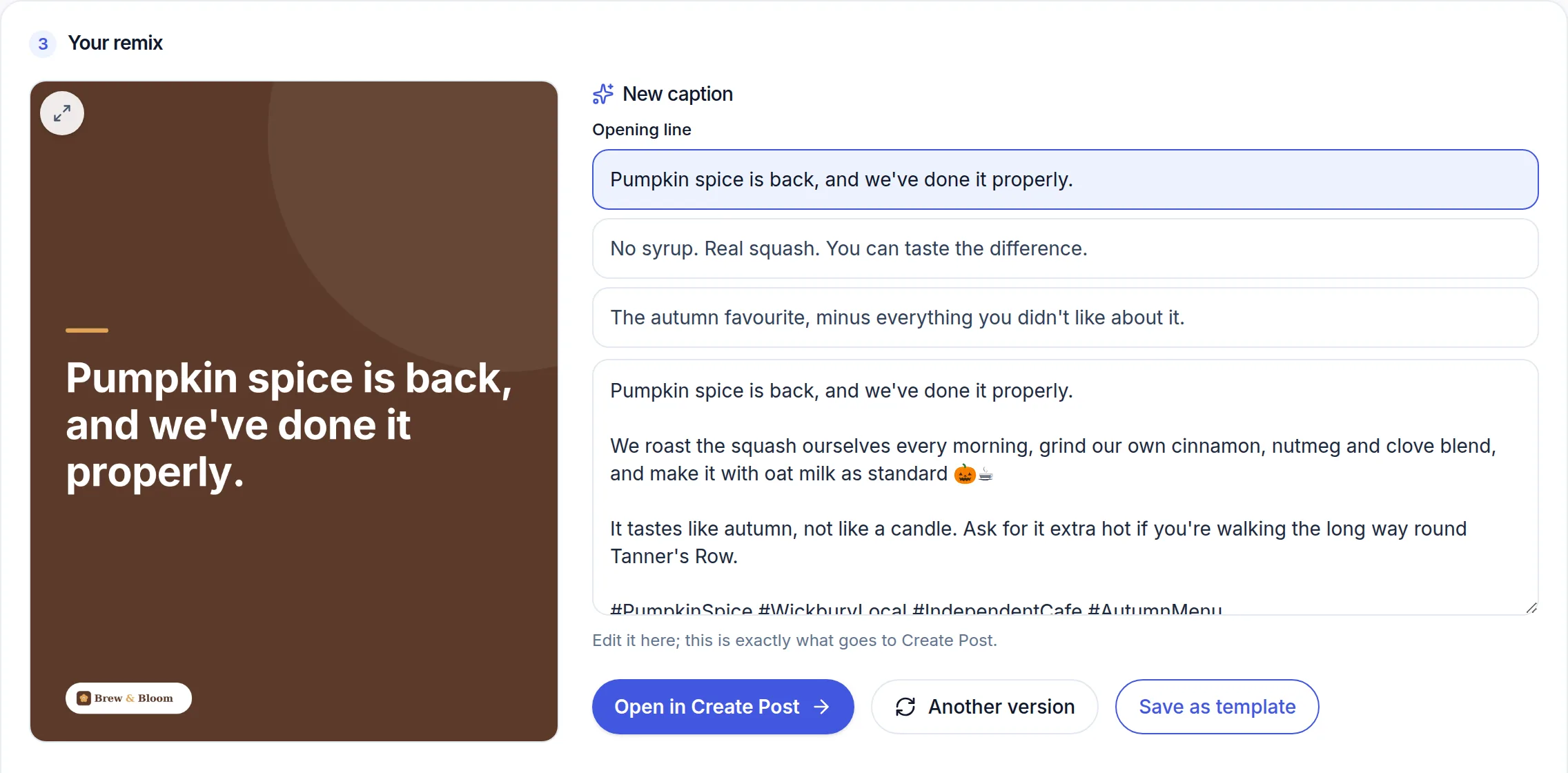
Remix takes a post you have already made and rebuilds it — same layout, same colours, same look — carrying a completely new message. It is for the format you want to run every week, where the design is settled and only the words change.
 (opens the full-size screenshot)
How it works
- Pick the design to work from: one of your own published posts, a layout you have saved, or a graphic you upload (a Canva file, for example).
- Say what this one is about — or press Suggest what to post and pick from ideas based on your brand and your recent posts.
- Optionally type a headline. That text is written into the image exactly as you type it.
- Remix it. You get the new image and a caption written in your brand's voice.
- Open it in the composer to choose where it goes and when.
A month in one sitting
Switch to a batch and you can fill the same layout with up to seven messages in one pass, then save them all as drafts. A batch can also be stitched into one silent Reel or TikTok, ready for a trending sound on the platform.
Saving a template
Save as template keeps the design, its destinations and its copy so the same format is one click next month. Saved templates can be renamed, which is worth doing once you have more than two.
Remix uses your monthly AI allowance and is available on every paid plan. Turning a still into a real moving clip uses your Video Pack instead.